Laptops & Desktops
PC Storage & Office
Monitors & Accessories
Printers & Networking


RM399.00
| Seremban HQ | ● In stock |
| AEON Mall Nilai | ● Out of stock |
| AEON Mall Ayer Keroh | ● Out of stock |
| HP World Seremban | ● Out of stock |
In stock
Brand: Microsoft
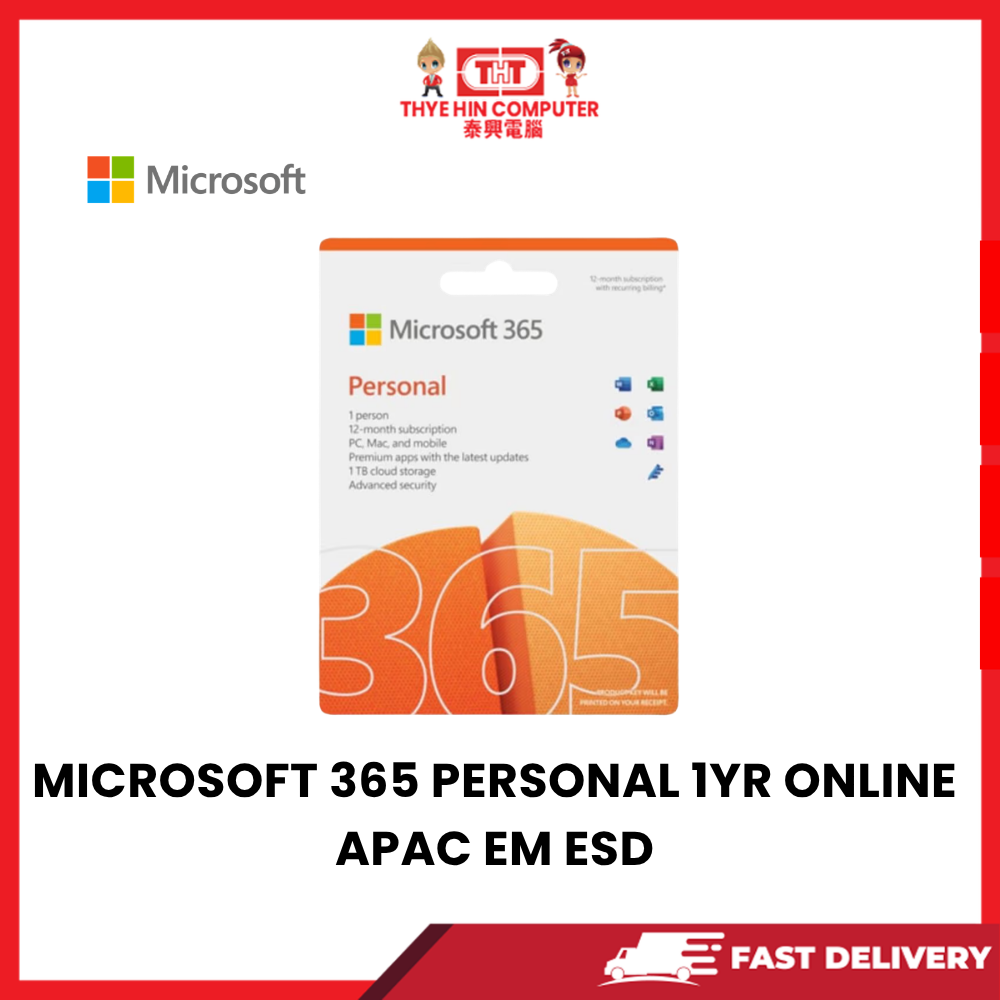
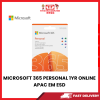
Product Name: Microsoft 365 Personal
Product Type: Productivity Software Subscription
Edition: Personal
Subscription Duration: 12 Months / 1 Year
License Type: Electronic Software Download (ESD)
Licensed Users: 1 Person
Region: Asia Pacific (APAC)
Delivery Method: Digital Activation / Electronic Software Delivery
Microsoft 365 Personal Subscription: Provides access to Microsoft's productivity applications and cloud services for one person.
Microsoft Word: Create, edit and format professional documents, letters, assignments and reports.
Microsoft Excel: Manage spreadsheets, calculations, formulas, charts and data analysis.
Microsoft PowerPoint: Create professional presentations, slideshows and visual content.
Microsoft Outlook: Manage emails, contacts and calendars through a dedicated email application.
Microsoft OneNote: Organise digital notes, study materials, meeting records and personal information.
Microsoft Defender: Provides supported personal security and device protection features.
Microsoft Designer: Access AI-powered creative tools and design features, subject to subscription availability.
Microsoft Copilot Features: Includes access to eligible AI-powered features in supported Microsoft 365 applications, subject to Microsoft's current usage limits.
1TB OneDrive Cloud Storage: Provides 1TB of cloud storage for one user.
Cloud File Backup: Store important documents, photographs and personal files using Microsoft OneDrive.
Access Files Across Devices: Open and manage synchronised files from supported computers, tablets and smartphones.
Automatic File Synchronisation: Keep supported files updated across connected devices.
File Sharing: Share documents and files with others through supported OneDrive sharing features.
Microsoft Word Productivity: Suitable for writing documents, preparing reports and creating business correspondence.
Microsoft Excel Productivity: Ideal for spreadsheets, budgeting, calculations and general data management.
Microsoft PowerPoint Presentations: Create presentations for school, work and personal projects.
Outlook Email Management: Organise email communication and calendar appointments.
OneNote Digital Notebook: Convenient for recording notes, organising information and managing ideas.
Premium Productivity Features: Access eligible Microsoft 365 application features while the subscription is active.
Regular Application Updates: Receive supported feature improvements, security updates and software enhancements.
Multiple Device Installation: Install supported Microsoft 365 applications on compatible devices owned by the licensed user.
Simultaneous Sign-In: Supports use on up to five devices at the same time.
Windows Compatibility: Supports compatible Windows PCs.
Mac Compatibility: Supports compatible Apple Mac computers.
Mobile Compatibility: Access supported applications on compatible Android smartphones, iPhones and tablets.
Cross-Platform Productivity: Work across compatible Windows, macOS, iOS and Android devices.
Online Collaboration: Create, edit and share documents using supported Microsoft 365 cloud services.
Offline Application Usage: Supported desktop applications can be used offline after installation and activation, with periodic internet access required to maintain the subscription.
Microsoft Account Activation: Requires a Microsoft account for subscription redemption and management.
Electronic Software Delivery: Software is downloaded and activated digitally without requiring a physical installation disc.
Online Installation: Download supported applications through Microsoft's official installation service.
Subscription Management: View subscription information and installed devices through your Microsoft account.
Personal Productivity: Suitable for everyday document creation, email management and personal organisation.
Student Applications: Ideal for assignments, presentations, research and educational projects.
Office Applications: Suitable for compatible office productivity tasks and professional document preparation.
Home Computing: Convenient for family documents, personal budgets, presentations and everyday tasks.
Cloud-Based Access: Access supported OneDrive files wherever an internet connection is available.
Ideal For: Students, home users, working professionals, personal productivity, document editing and cloud storage.
Package Includes: 1 × Microsoft 365 Personal 12-Month Digital Subscription / ESD Activation Entitlement.
Important Note: This is a subscription-based product, not a perpetual Microsoft Office license.
Activation Note: The subscription must be activated using the supplied digital entitlement and an eligible Microsoft account.
Region Note: Confirm that the supplied APAC activation entitlement is valid for the customer's country or account region.
Internet Requirement: Internet access is required for software download, activation, updates and online services.
Subscription Note: Continued access to subscription-only features requires an active Microsoft 365 subscription.
Compatibility Note: Application availability and features depend on the operating system, device and Microsoft account.
AI Feature Note: Copilot availability, supported applications and usage limits depend on Microsoft's current subscription terms.
Renewal Note: Recurring billing settings and renewal arrangements depend on the activation and purchase method.
| Weight | 1.00 kg |
|---|---|
| Dimensions | 10.00 × 10.00 × 10.00 cm |


Kaspersky


External SSD & HDD
SEAGATE ONE TOUCH HDD (SPACE GREY) WITH PASS WORD 2TB EXTERNAL HARDISK





In stock




Reviews
There are no reviews yet.